

Designing

the UX

behind a

$325M

AI

product

From early flows to enterprise-scale personalization.

Designing

the UX

behind a

$325M

AI

product

From early flows to enterprise-scale

personalization.

Overview

Fitly is a US-based AI platform that replaces traditional A/B testing with continuous, automated experimentation. I led the product design to help lifecycle marketers make data-driven personalization decisions faster.

Fitly is a US-based AI platform that replaces traditional A/B testing with continuous, automated experimentation. I led the product design to help lifecycle marketers make data-driven personalization decisions faster.

My role

Product designer

Services

Full design cycle: Product Design, Research, Design System

Platform

Desktop web

At a glance

Building a research-driven design process

Building a research-driven design process

Building a research-driven design process

Research & user mapping

Interviewed & surveyed marketers and ML engineers to define how each persona works with the platform and where they struggle.

Research & user mapping

Interviewed & surveyed marketers and ML engineers to define how each persona works with the platform and where they struggle.

Dual-interface design strategy

Built a Customer Portal for guided setup and an Advanced Console for technical control for balancing simplicity with flexibility.

Dual-interface design strategy

Built a Customer Portal for guided setup and an Advanced Console for technical control for balancing simplicity with flexibility.

Testing & iteration

Validated designs through usability testing, reducing setup time and improving clarity for both user groups.

Testing & iteration

Validated designs through usability testing, reducing setup time and improving clarity for both user groups.

Challenge 1

Streamlining AI experiment setup

Streamlining AI experiment setup

Streamlining AI experiment setup

Before

Marketers struggled with complex, technical setup flows that required understanding AI model parameters.

After

User research revealed that marketers needed guided, step-by-step flows with clear context at each stage.

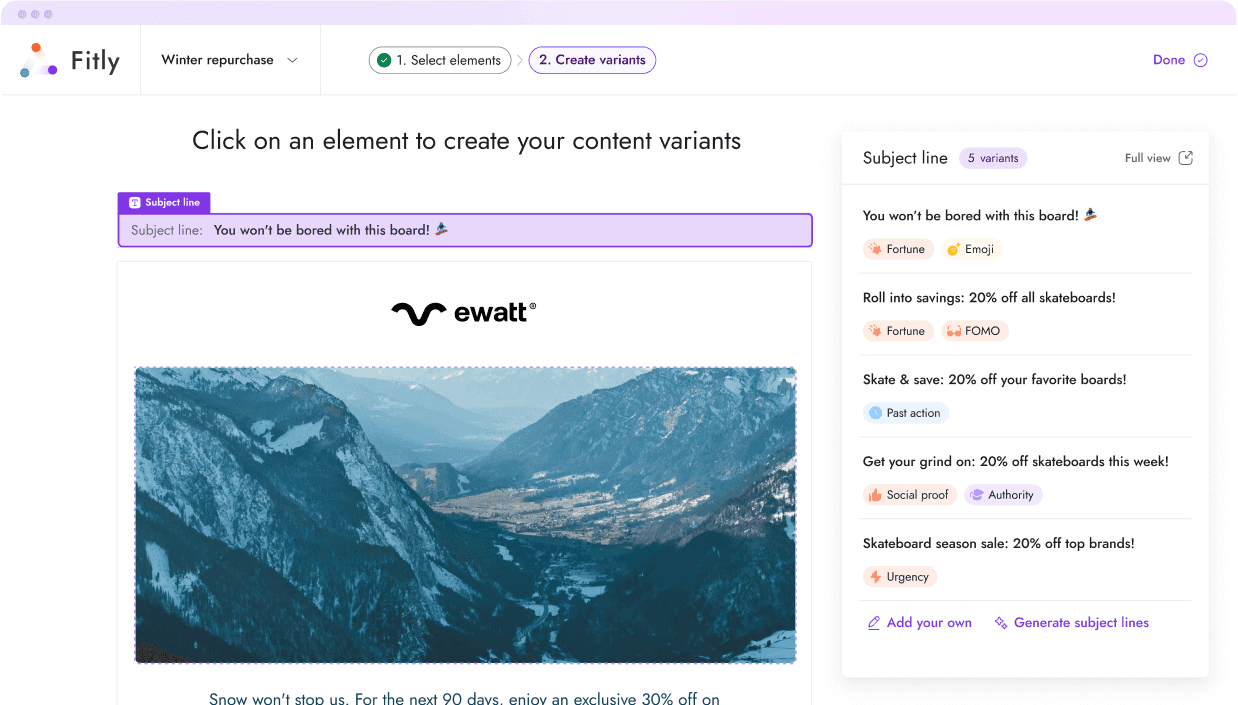
Variant creation

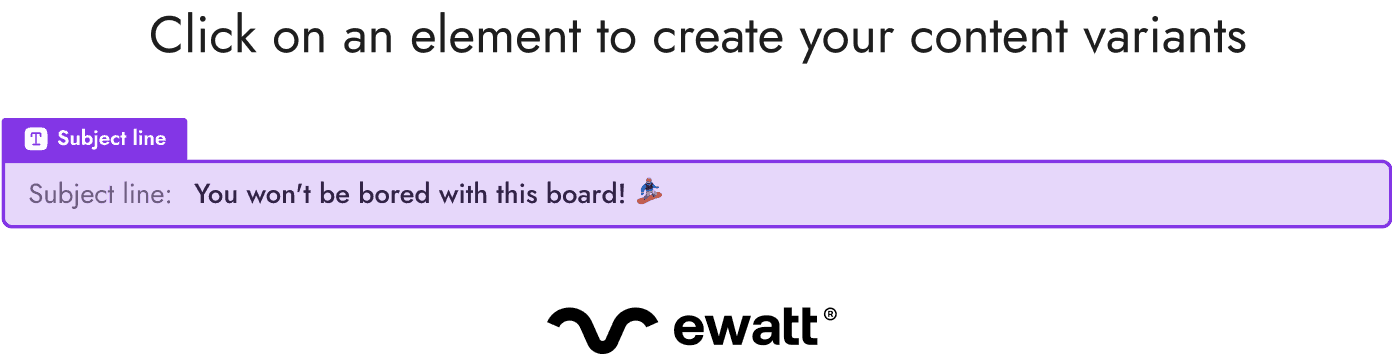
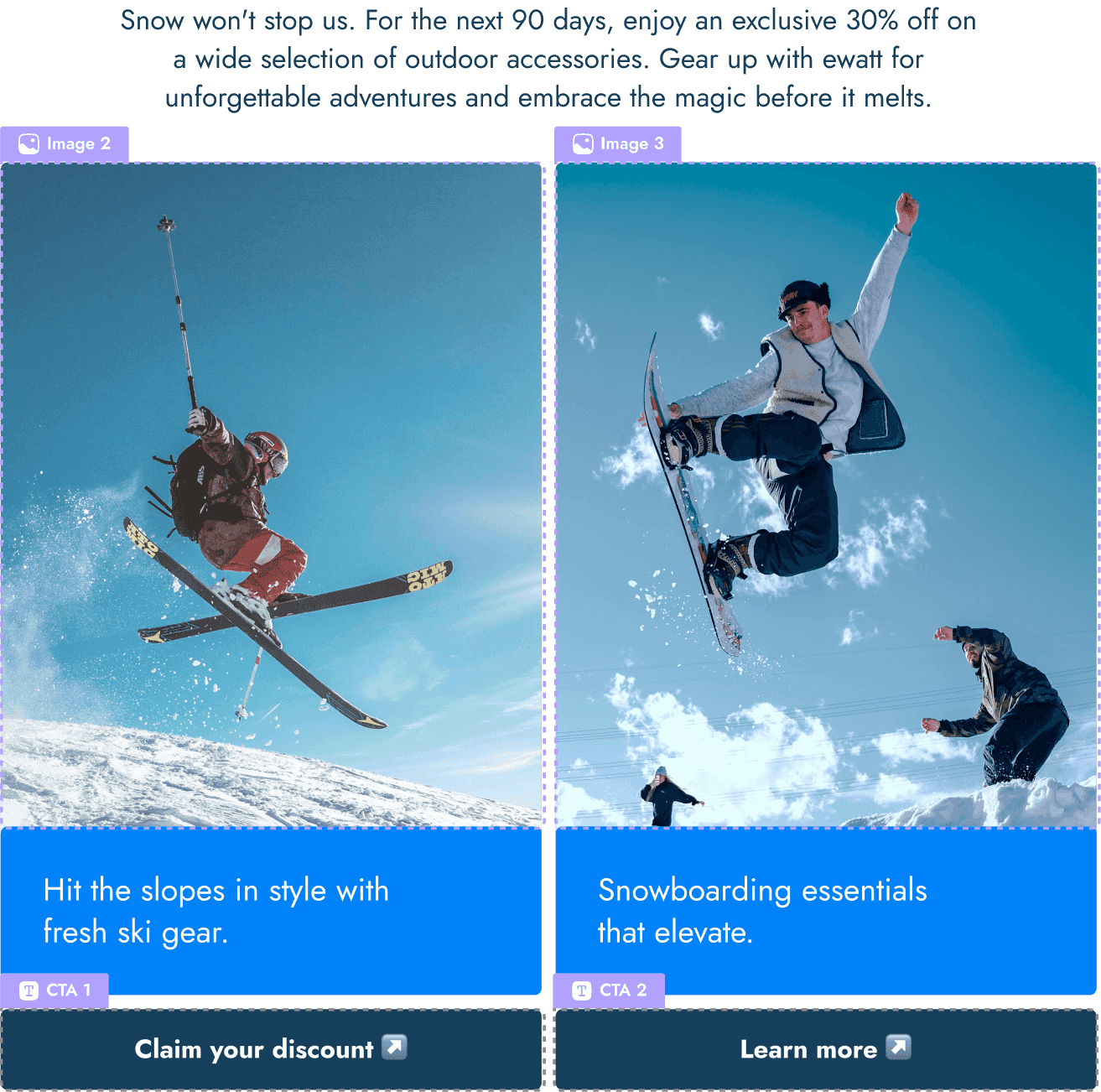
Built a variant creation flow for subject lines and CTAs.

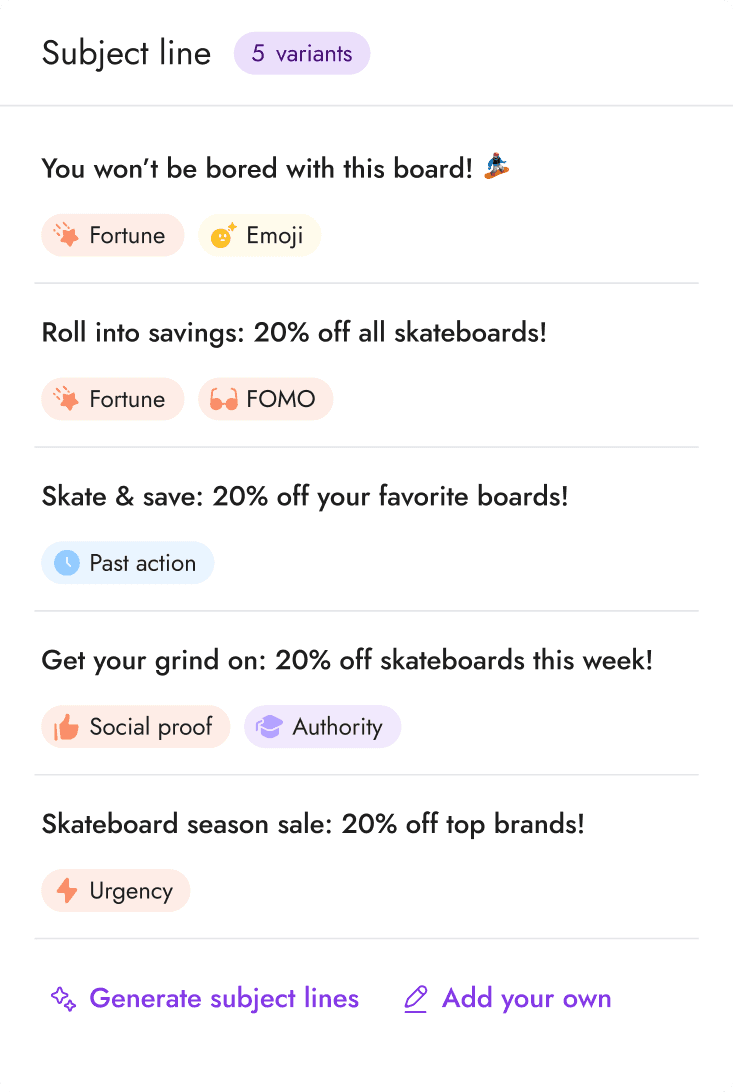
LLM-powered interface

Crafted an AI experience to generate email elements.

AI experimentation setup

Designed a system for advanced experimentation with support for custom rules and dynamic conditions

Make it about |

Select tone of voice

FOMO

Urgency

Curiosity

Luxury

Social proof

Humor

Excitement

Authority

Variant creation

Built a variant creation flow for subject lines and CTAs.

LLM-powered interface

Crafted an AI experience to generate email elements.

AI experimentation setup

Designed a system for advanced experimentation with support for custom rules and dynamic conditions

Make it about |

Select tone of voice

FOMO

Urgency

Curiosity

Luxury

Social proof

Humor

Excitement

Authority

Variant creation

Built a variant creation flow for subject lines and CTAs.

LLM-powered interface

Crafted an AI experience to generate email elements.

AI experimentation setup

Designed a system for advanced experimentation with support for custom rules and dynamic conditions

Make it about |

Select tone of voice

FOMO

Urgency

Curiosity

Luxury

Social proof

Humor

Excitement

Authority

Use cases

Use case 1

Create multiple variants and let AI identify what resonates best with each audience.

Use case 1

Create multiple variants and let AI identify what resonates best with each audience.

Use case 2

Compare which discounts or bundles drive the most conversions across customer segments.

Use case 2

Compare which discounts or bundles drive the most conversions across customer segments.

Use case 3

Schedule time-limited campaigns with automatic start and end dates for seasonal sales.

Use case 3

Schedule time-limited campaigns with automatic start and end dates for seasonal sales.

Use case 3

Schedule time-limited campaigns with automatic start and end dates for seasonal sales.

Use case 4

Let AI determine the best time to reach each customer based on their behavior patterns.

Use case 4

Let AI determine the best time to reach each customer based on their behavior patterns.

Email variants creation

Email variants creation

Changes after the 1st usability test round

Contextual AI suggestions based on user input

Instead of showing generic recommendations upfront, the system now waits until users input their campaign goal and then suggests relevant variant types and offer structures tailored to that specific objective.

Progressive disclosure for technical controls

Moved advanced configuration options (frequency caps, custom rules) behind an expandable "Advanced settings" section. Marketers see a clean interface by default, while ML engineers can access full control when needed.

User feedback

Setting up a campaign used to take me an hour of trial and error. Now I breeze through it in 15 minutes because the flow is so straightforward and nothing feels hidden or confusing.

Sarah, lifecycle marketer at an enterprise company

It feels like the interface was designed by someone who actually runs campaigns. Everything is where I expect it to be, and I don't have to think too hard about what to click next.

David, marketing lead at an enterprise SaaS company

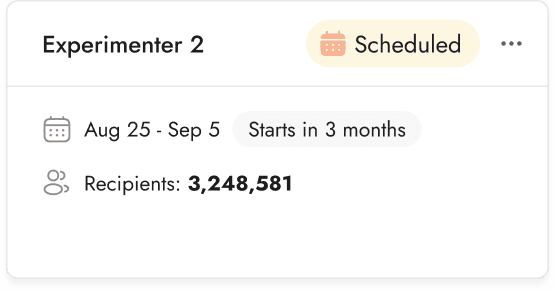
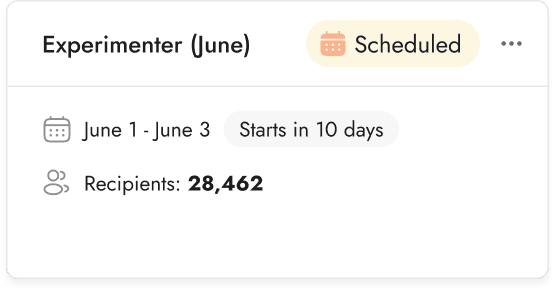
Scheduling email campaigns

Scheduling email campaigns

Planned experimenters

Planned experimenters

Planned experimenters

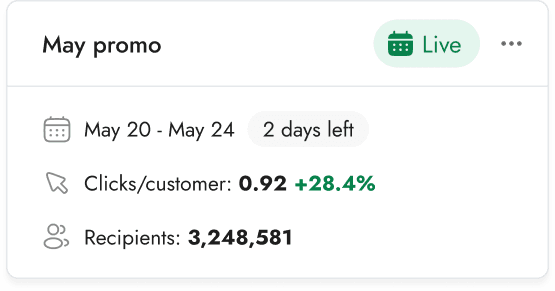
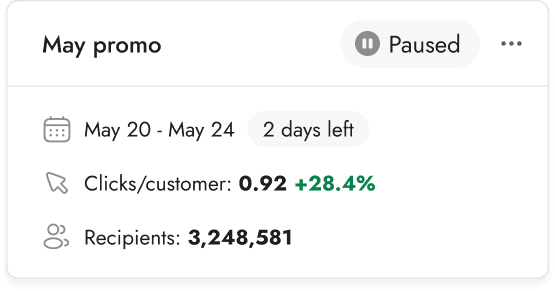
Live experimenters

Live experimenters

Live experimenters

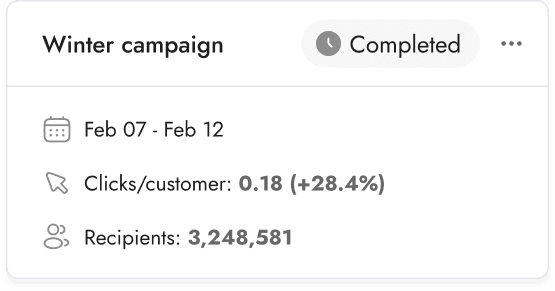
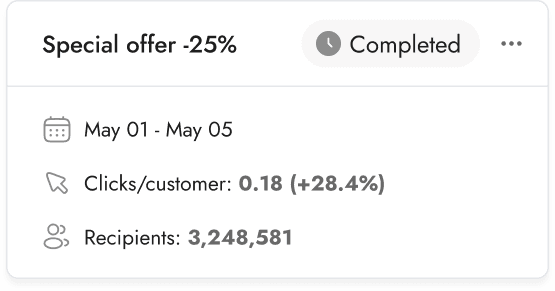
Completed experimenters

Completed experimenters

Completed experimenters

Usability testing insights

Question tested during usability interviews:

Will customers understand the Evergreen vs. Calendared split in the UI and know where to find a Calendared experimenter?

Does the Calendared tab meet customers’ needs?

Findings:

Both customers found the 3-column layout to be clear. One customer suggested that adding the audience size to the tile would be helpful, which we will plan to include for the MVP.

Both customers found and understood the Evergreen vs. Calendared tabs quickly and without questions.

Configuring products & offers

Configuring products & offers

About the feature

Marketers configure promotional offers with details like discount amounts and durations, creating trackable variables for AI experiments. The platform learns which offer types perform best with specific audiences, continuously optimizing future campaign decisions.

Users & roles

Marketers at enterprise companies

External client persona.

Machine learning integration engineers

Internal technical user persona.
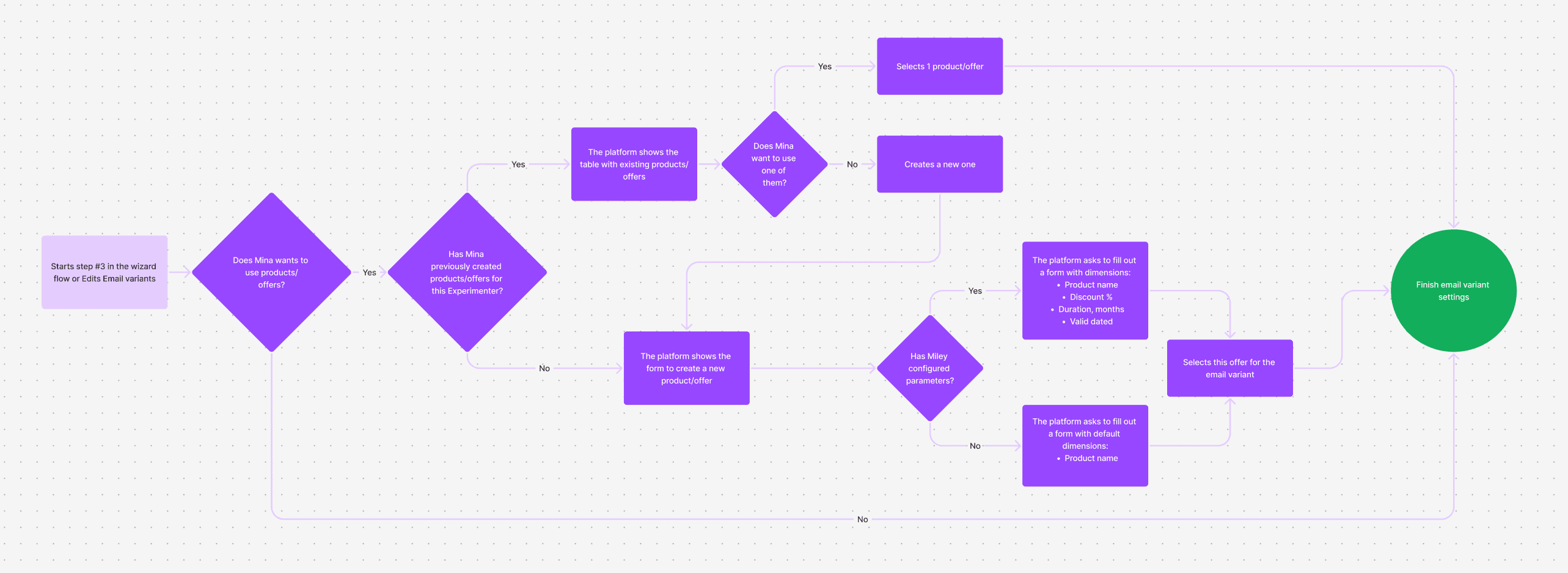
The products & offers UX flow.

Use case 1

The user manually enter offers into the table.

Use case 1

The user manually enter offers into the table.

Use case 2

The user reads the instructions and creates a spreadsheet from scratch to upload.

Use case 2

The user reads the instructions and creates a spreadsheet from scratch to upload.

Use case 3

The user downloads a template with detailed instructions, fills it out, and uploads it.

Use case 3

The user downloads a template with detailed instructions, fills it out, and uploads it.

User feedback

The offer setup is way clearer now. I know what to fill in and why.

Jessica, email marketing manager at an e-commerce brand

I used to skip this step because I didn't get it. Now it's obvious how it helps personalization.

Mark, lifecycle marketer at a fintech company

Challenge 2

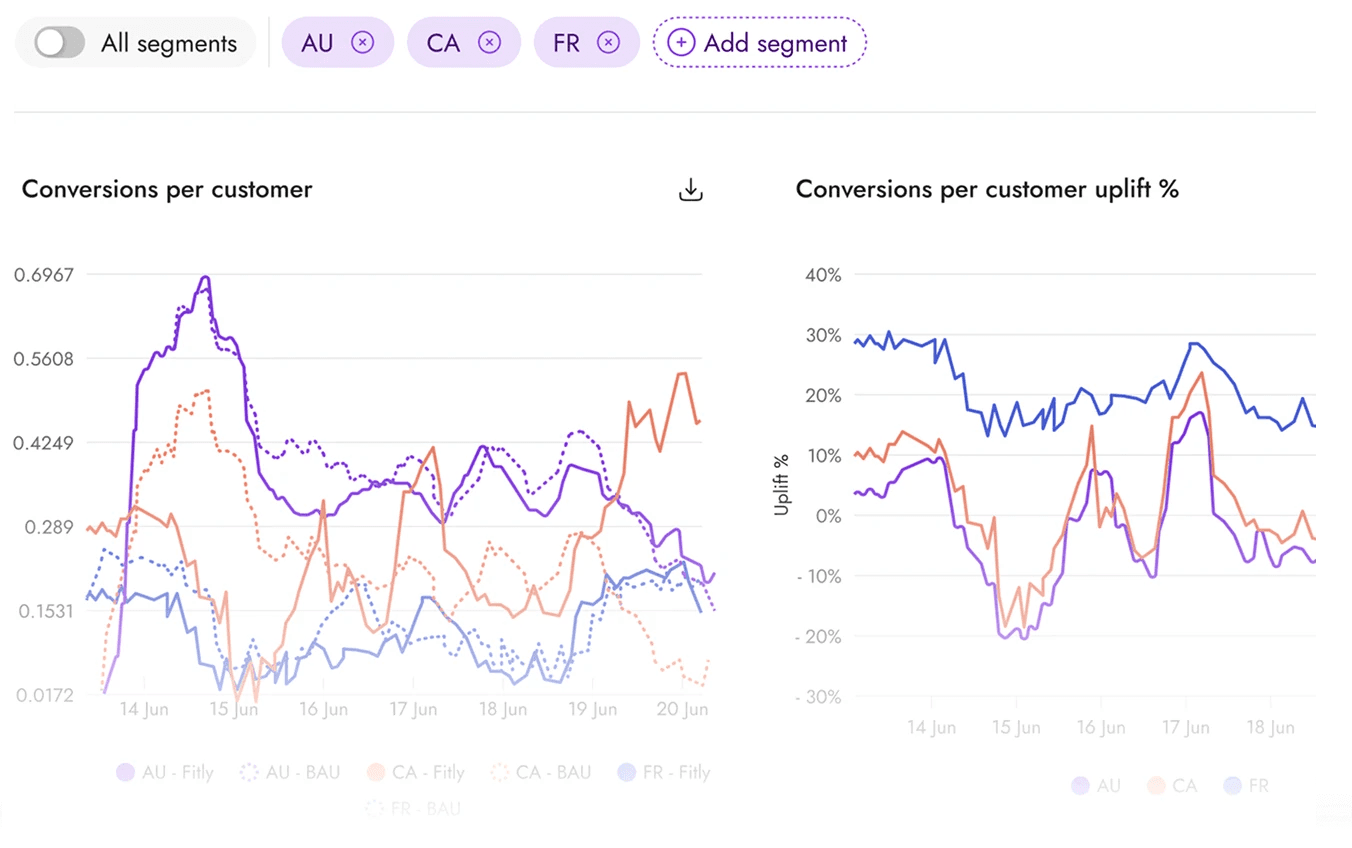
Improving reporting

Improving reporting

Improving reporting

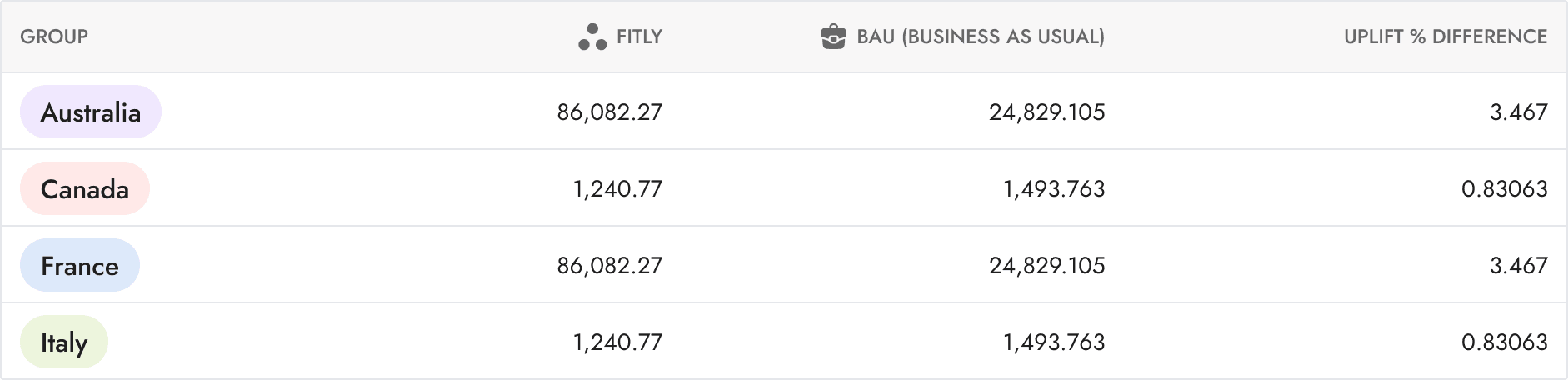
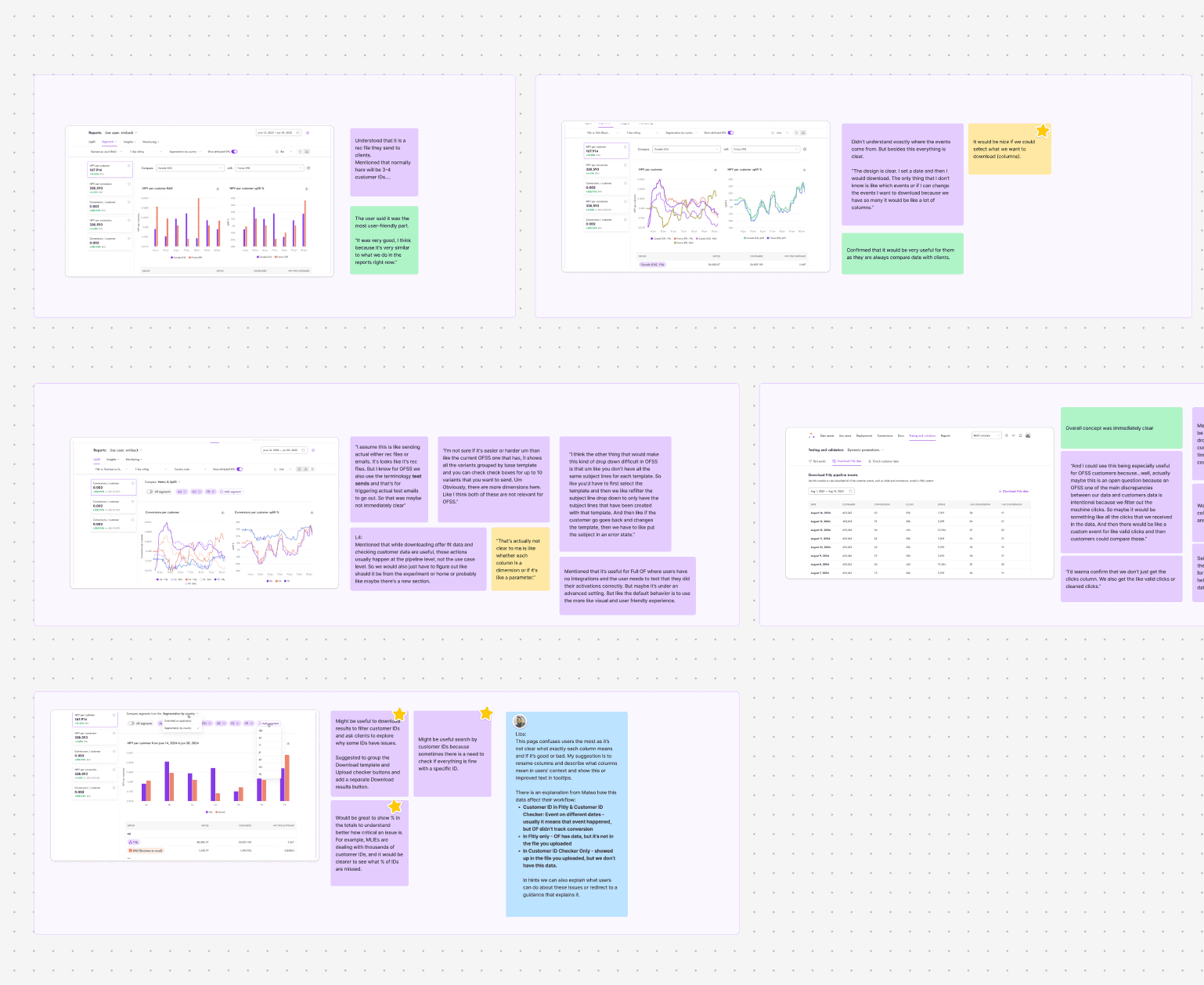
Conducting research

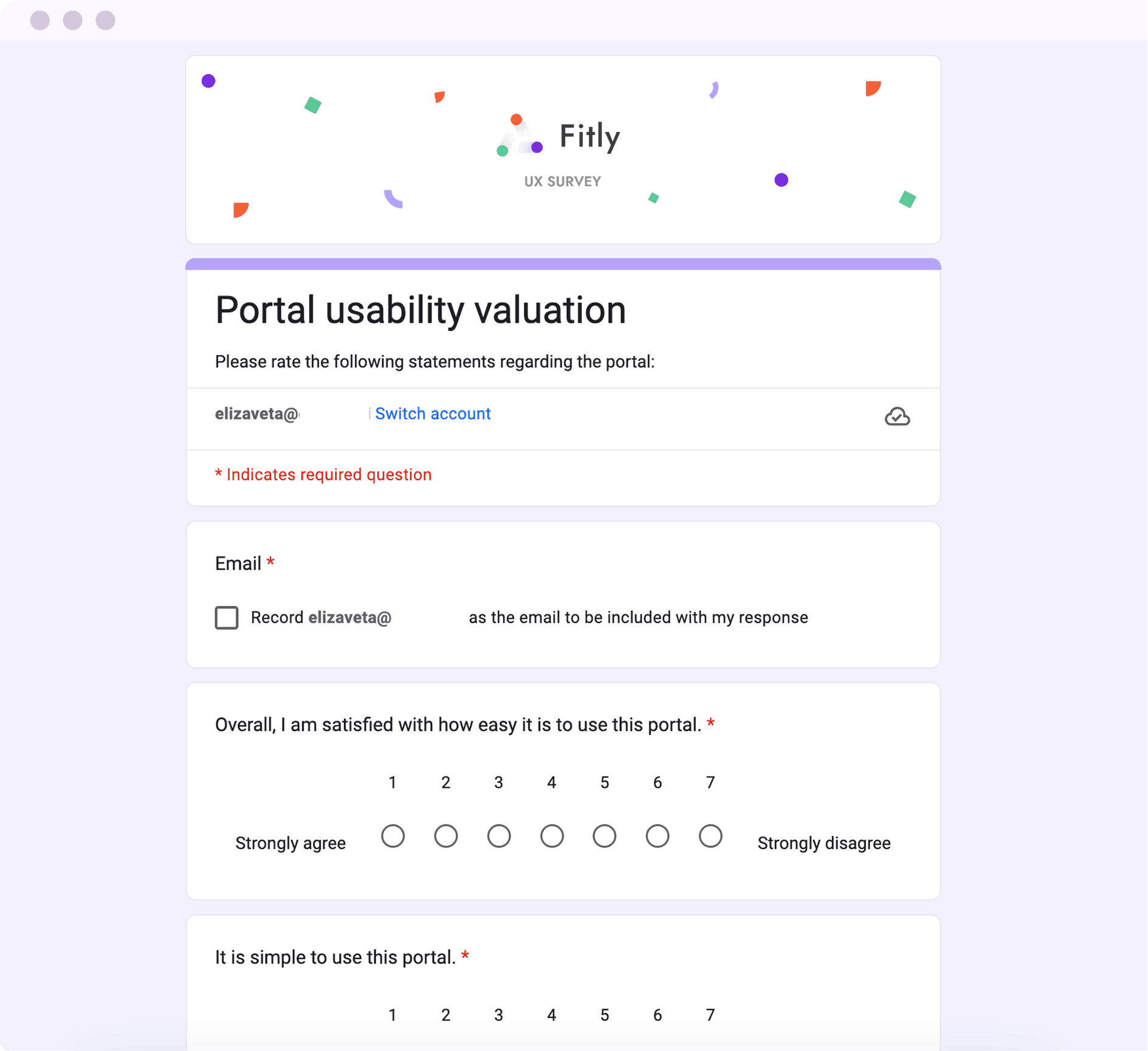
User survey

User survey

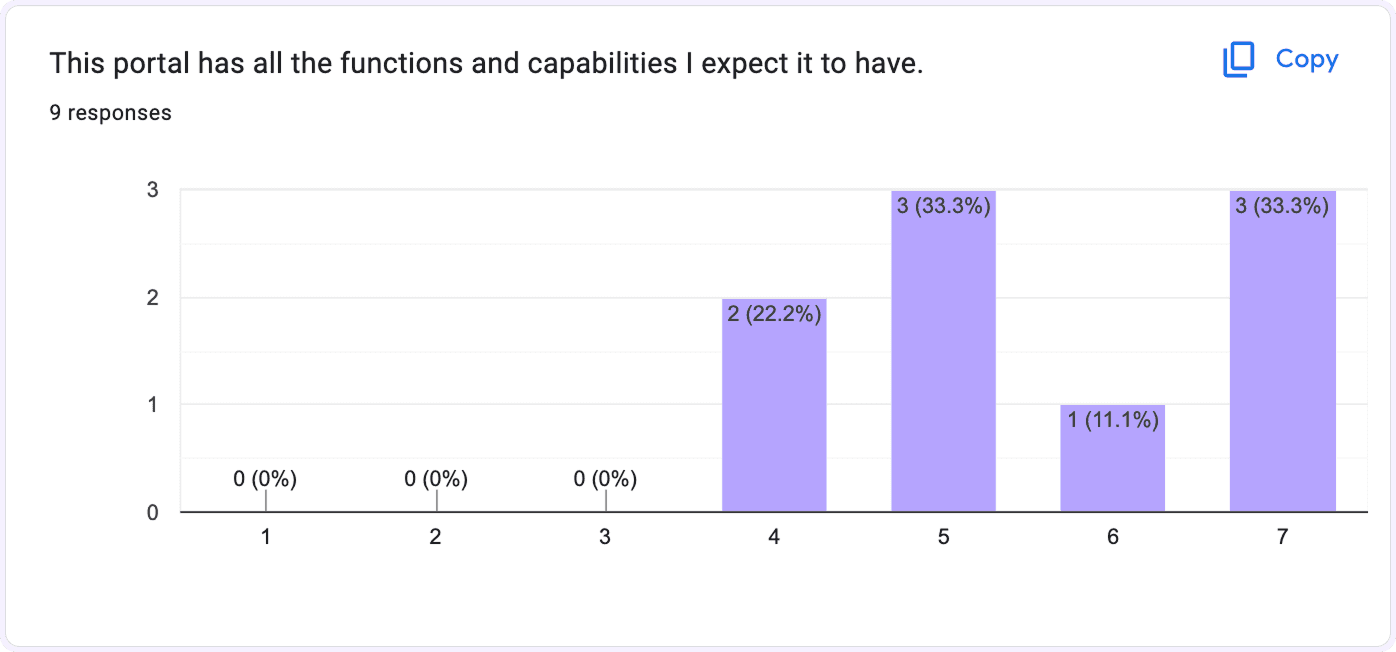
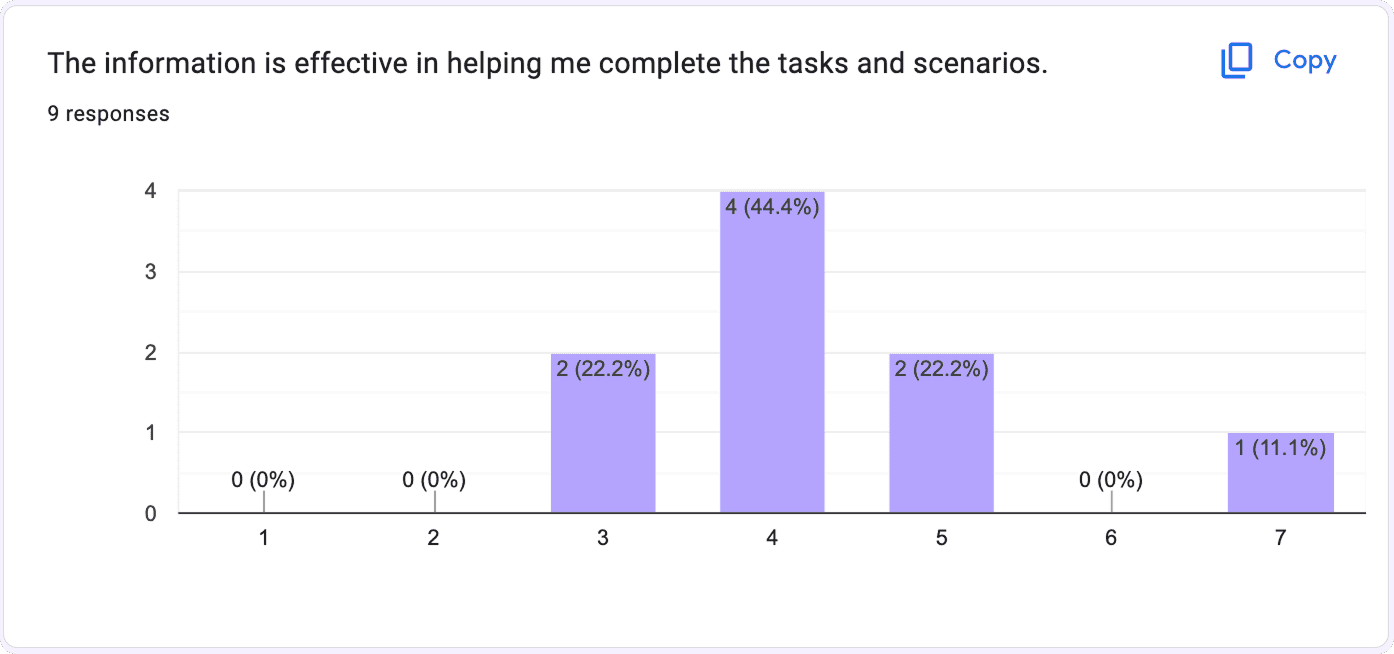
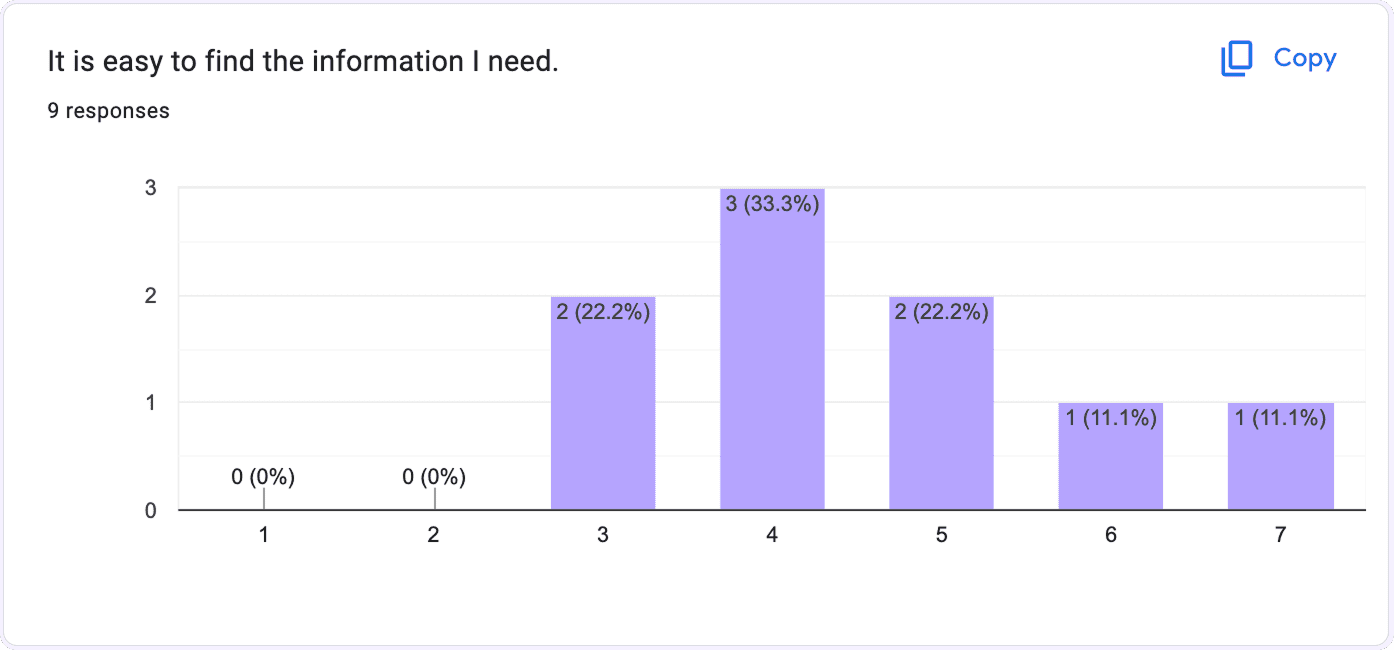
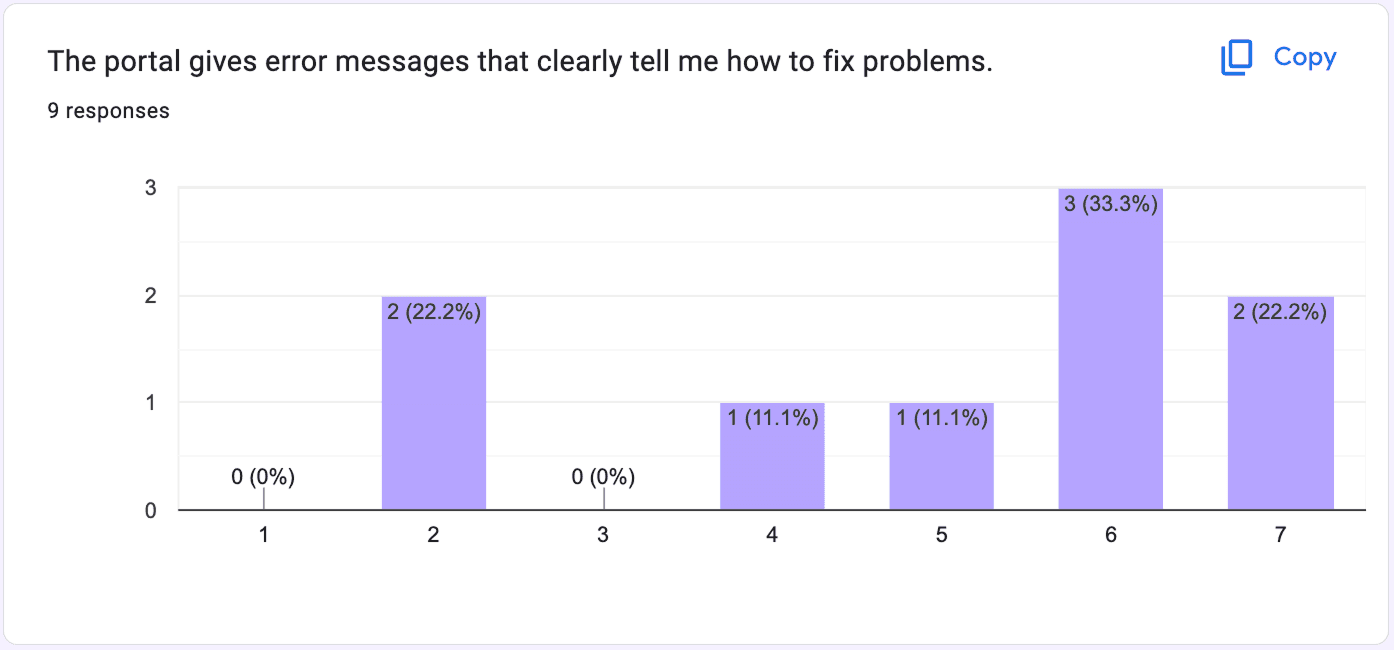
The PSSUQ (Post-Study System Usability Questionnaire is a 15-item standardized questionnaire. It is widely used to measure users perceived satisfaction of a website, software, system or product at the end of a study. PSSUQ originated from an internal IBM project called SUMS (System Usability Metrics) in 1988.

9

Number of participants

30

Mins interview

18

Open-ended questions
Diving deeper

Creating an advanced design-system

Creating an advanced design-system

Creating an advanced design-system

Implementing tokens

Implementing tokens

Implementing tokens

Design tokens create a single source of truth for design decisions, ensuring consistency across platforms and enabling scalable collaboration between designers and developers. They eliminate manual updates and provide flexibility as the product evolves.

Design tokens create a single source of truth for design decisions, ensuring consistency across platforms and enabling scalable collaboration between designers and developers. They eliminate manual updates and provide flexibility as the product evolves.

Token types

Primitive Tokens

Core brand colors including primary, secondary, neutral, and feedback colors that form the foundational visual palette.

Semantic Tokens

Purpose-driven tokens that define how colors are used: for text, backgrounds, interactive states, with built-in accessibility guidance.

Component Tokens

Component-specific values for elements like button radius or spacing, enabling precise theming while maintaining structural consistency.

Add the color to the design system?

Fitly design system

Yes

#8336E6

Row value

Purple 500

Base token

P500 | color.bg.purple

Design Figma Style

color.bg.purple

Semantic token

Add the color to the design system?

Fitly design system

Yes

#8336E6

Row value

Purple 500

Base token

P500 | color.bg.purple

Design Figma Style

color.bg.purple

Semantic token

Add the color to the design system?

Fitly design system

Yes

#8336E6

Row value

Purple 500

Base token

P500 | color.bg.purple

Design Figma Style

color.bg.purple

Semantic token

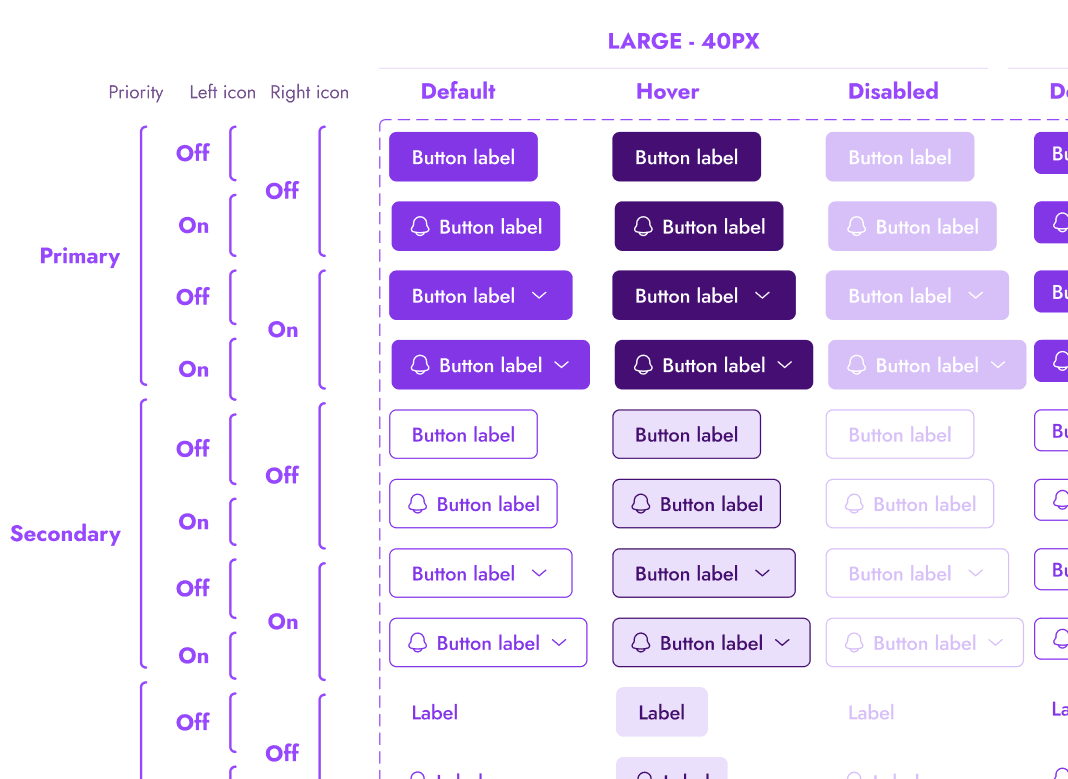
Button

357 variants

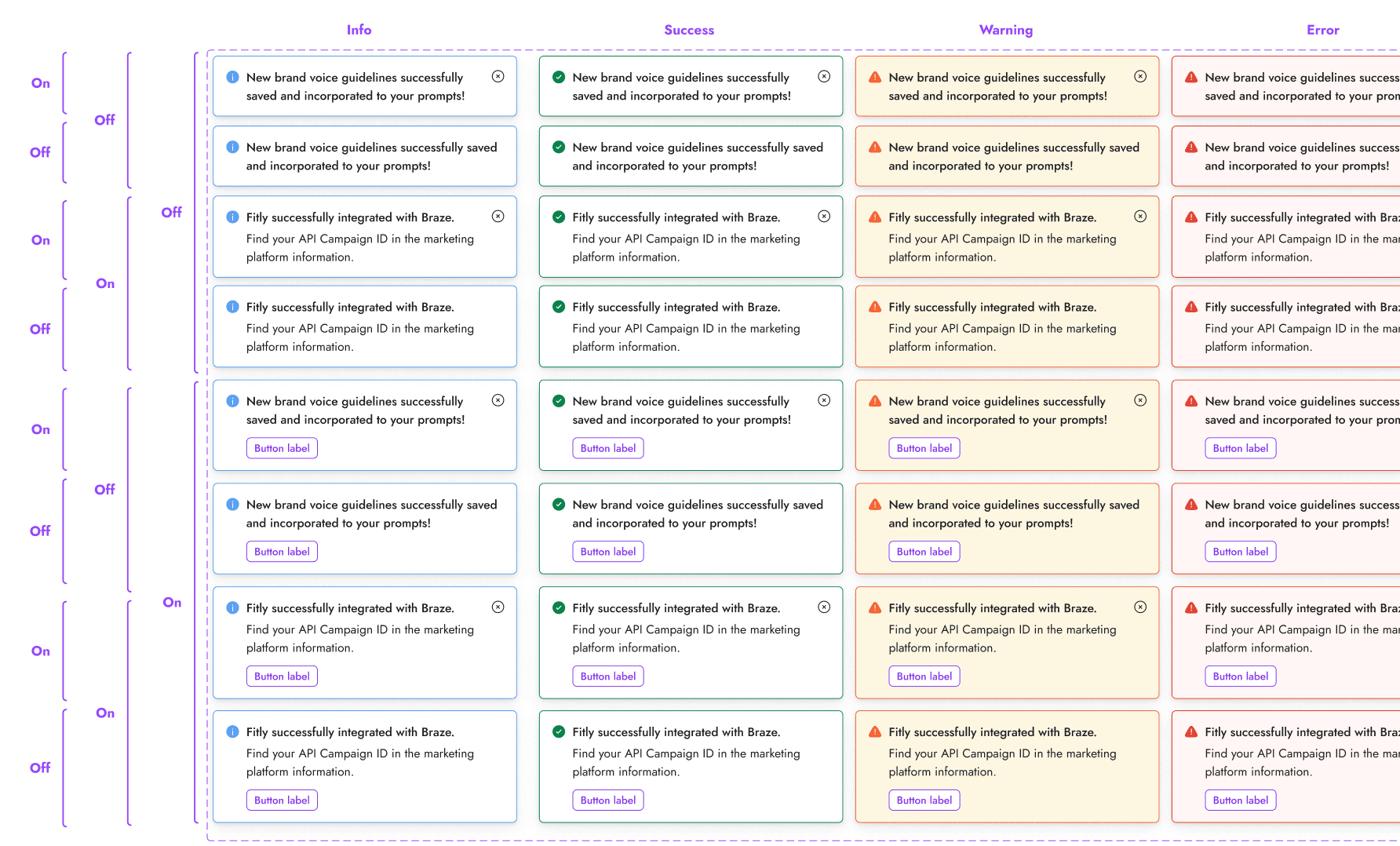
Notifications

32 variants

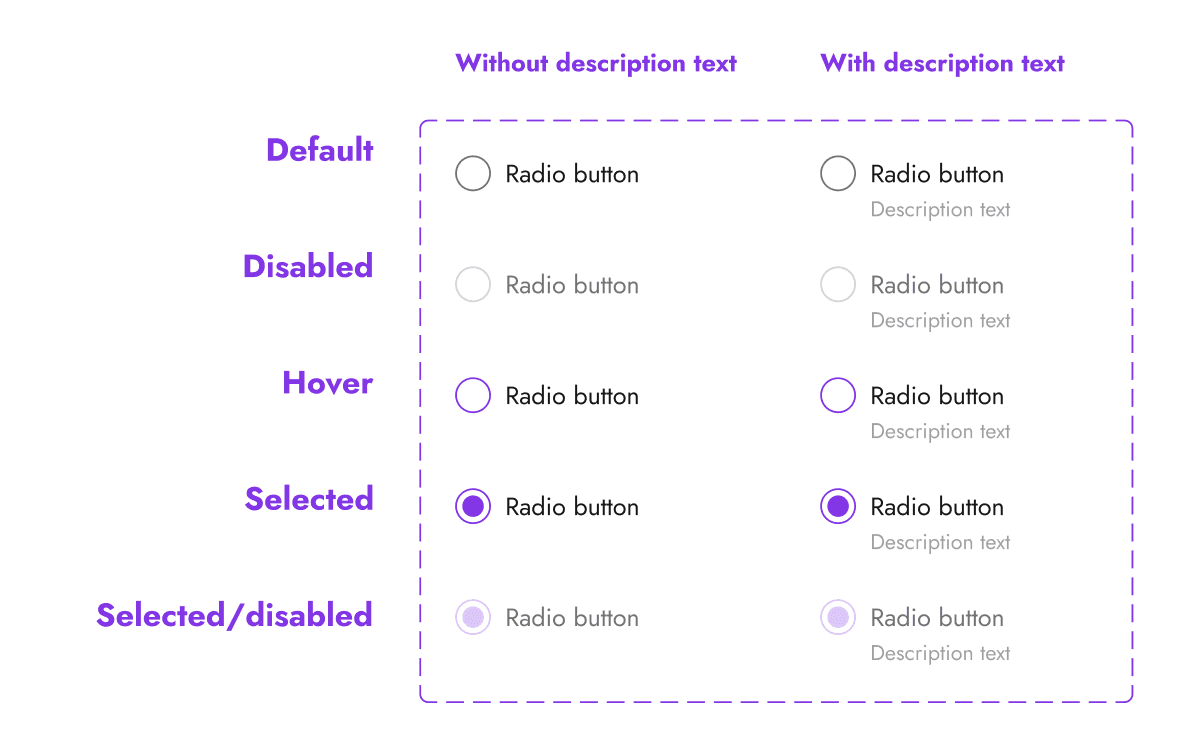
Radio button

10 variants

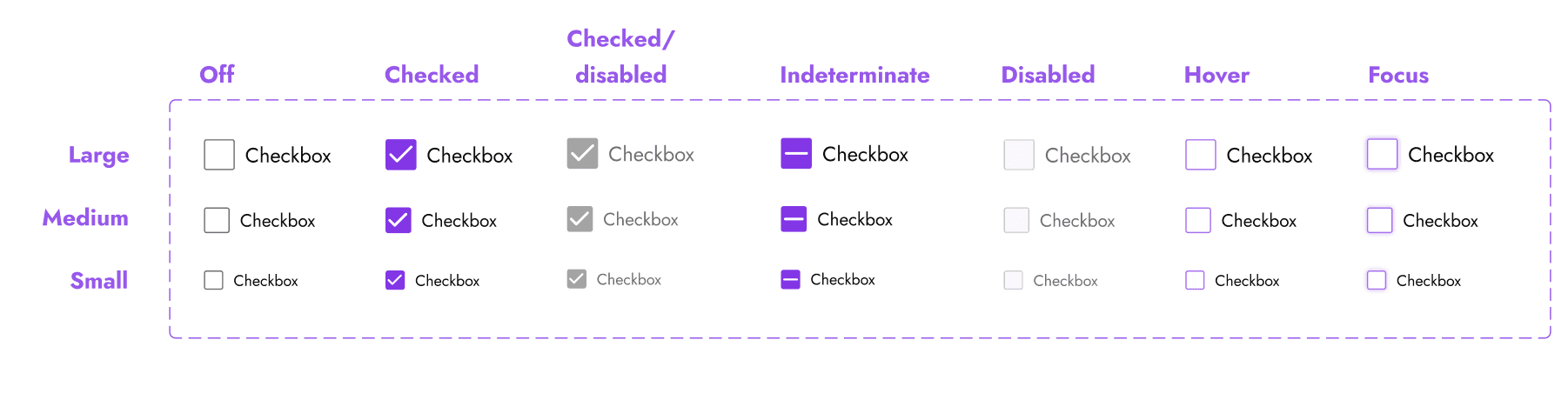
Checkbox

21 variants

Checkbox

21 variants

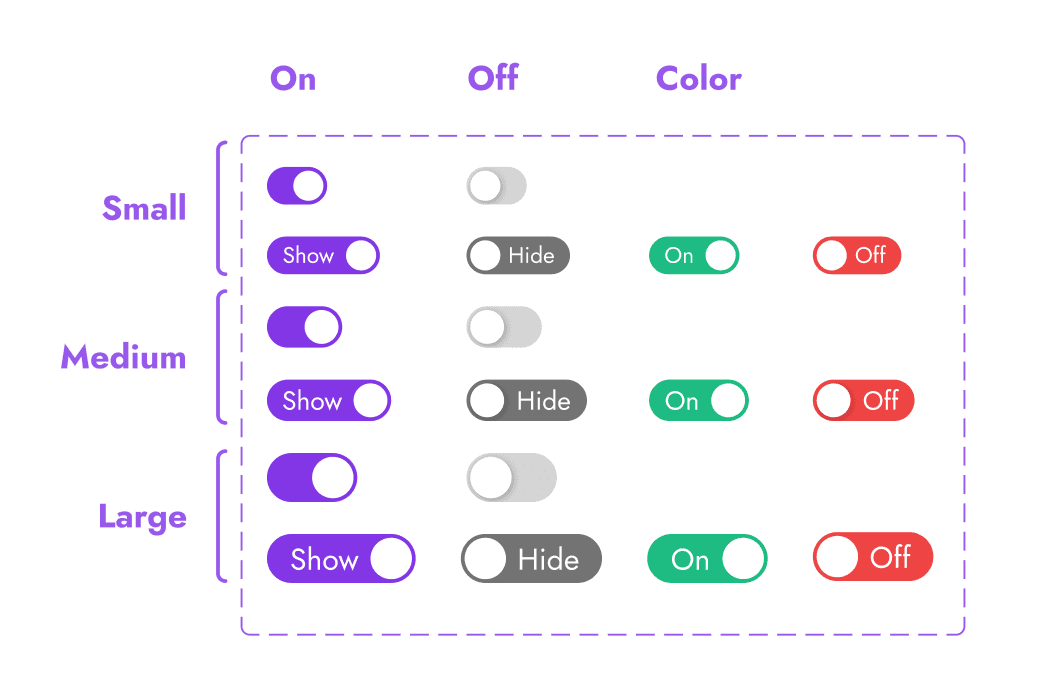
Toggle

18 variants

Toggle

18 variants

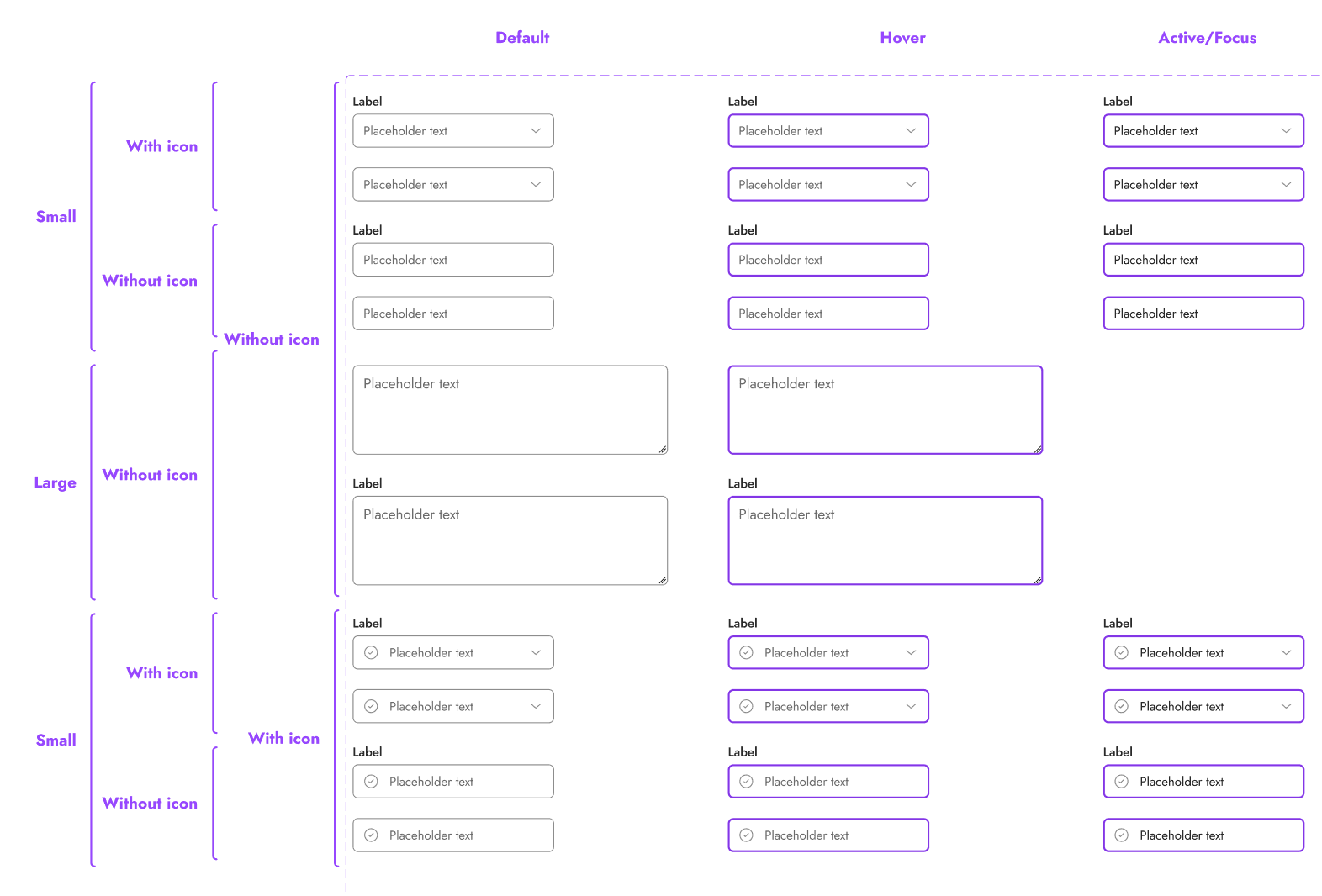
Text inputs

116 variants

Text inputs

116 variants

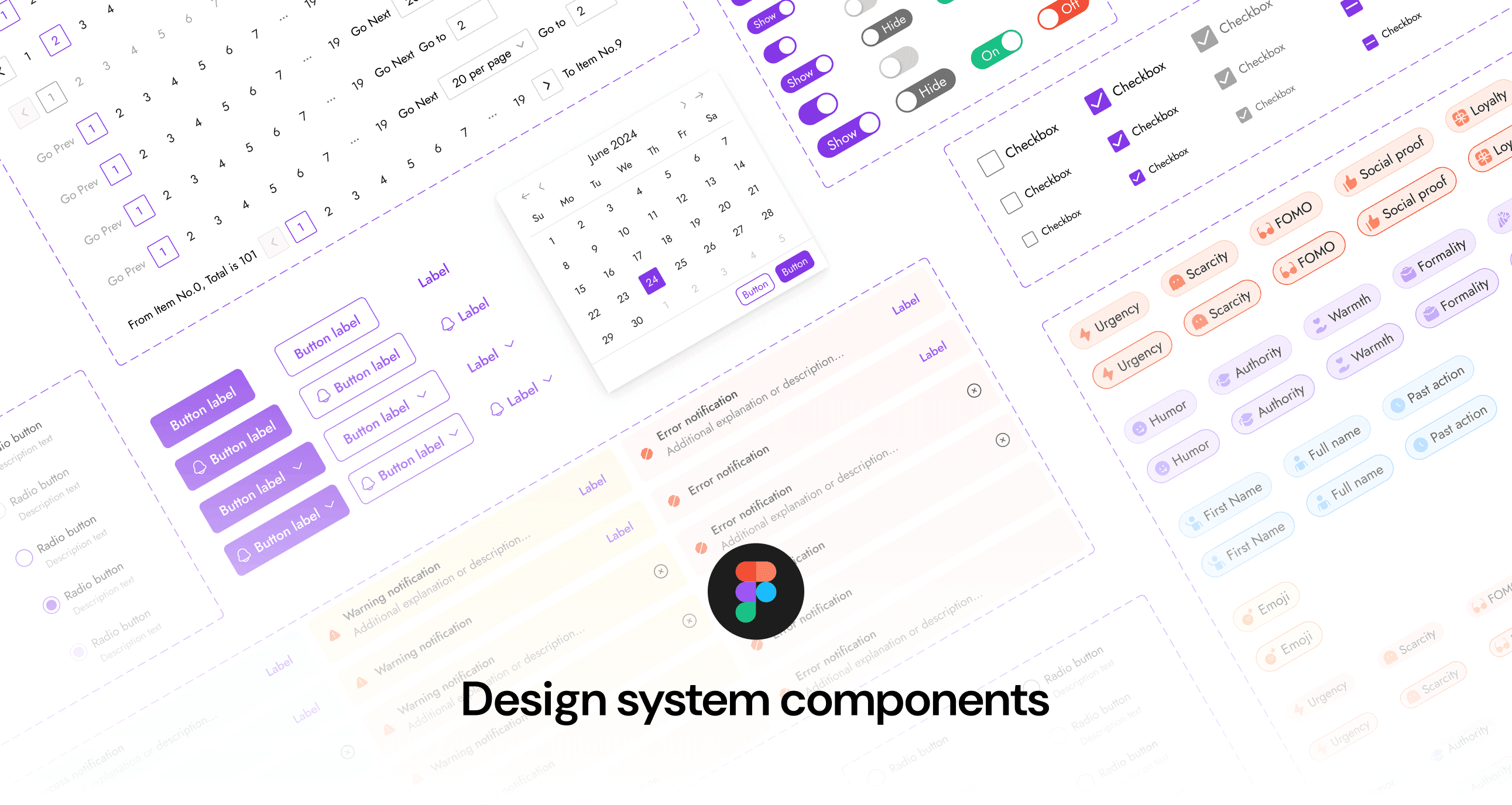
20+ more components

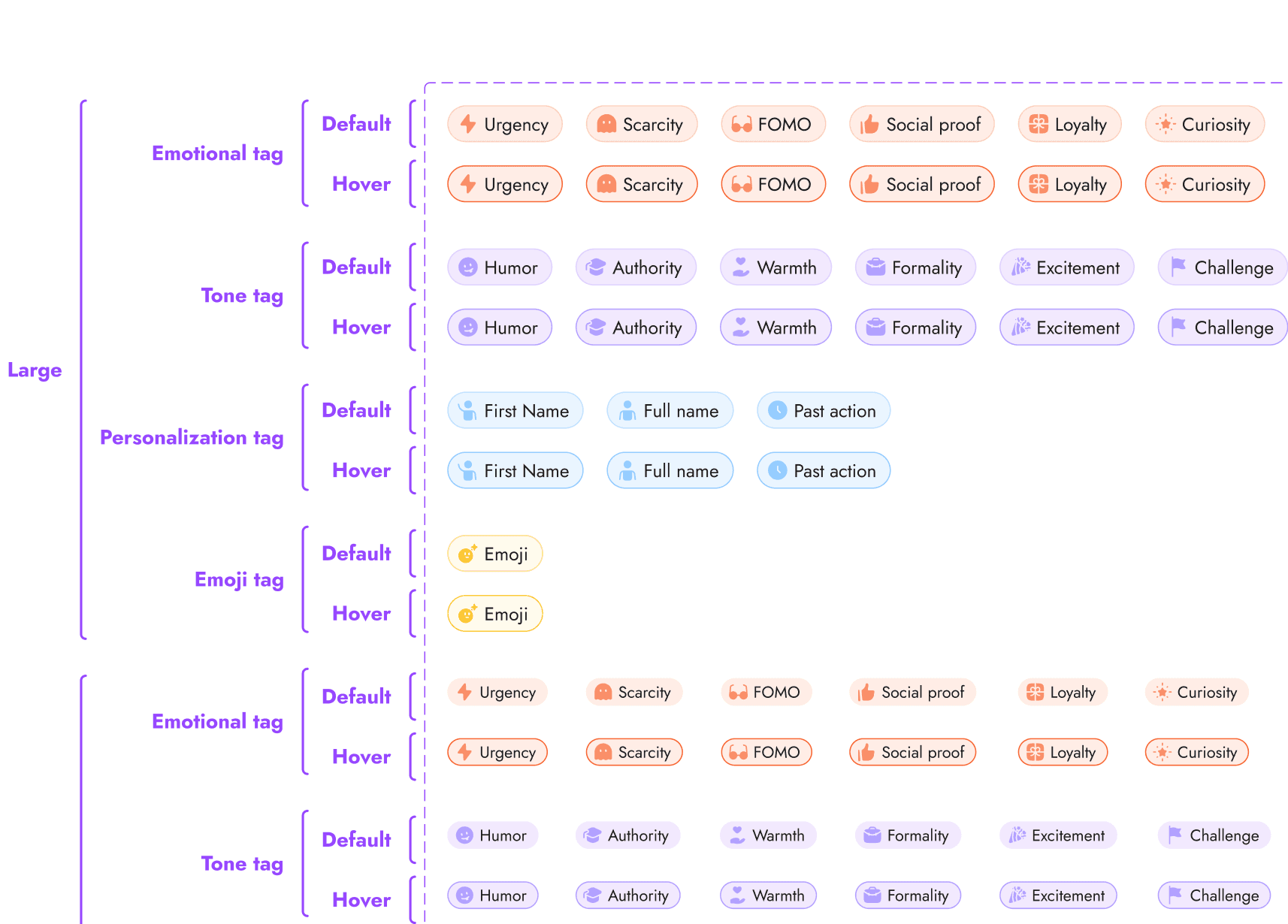
Tags

84 variants

Tags

84 variants

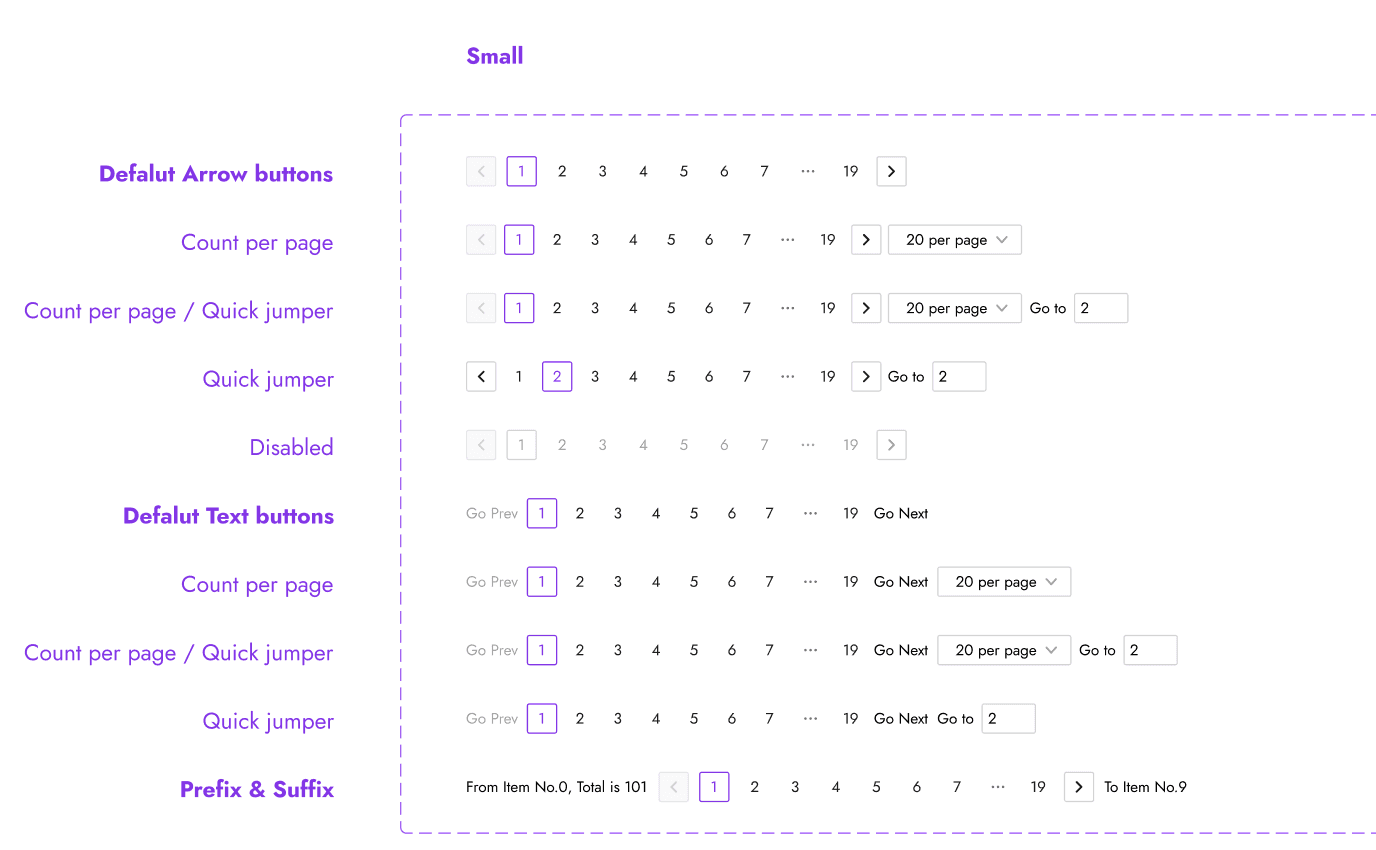
Pagination

30 variants

Pagination

30 variants

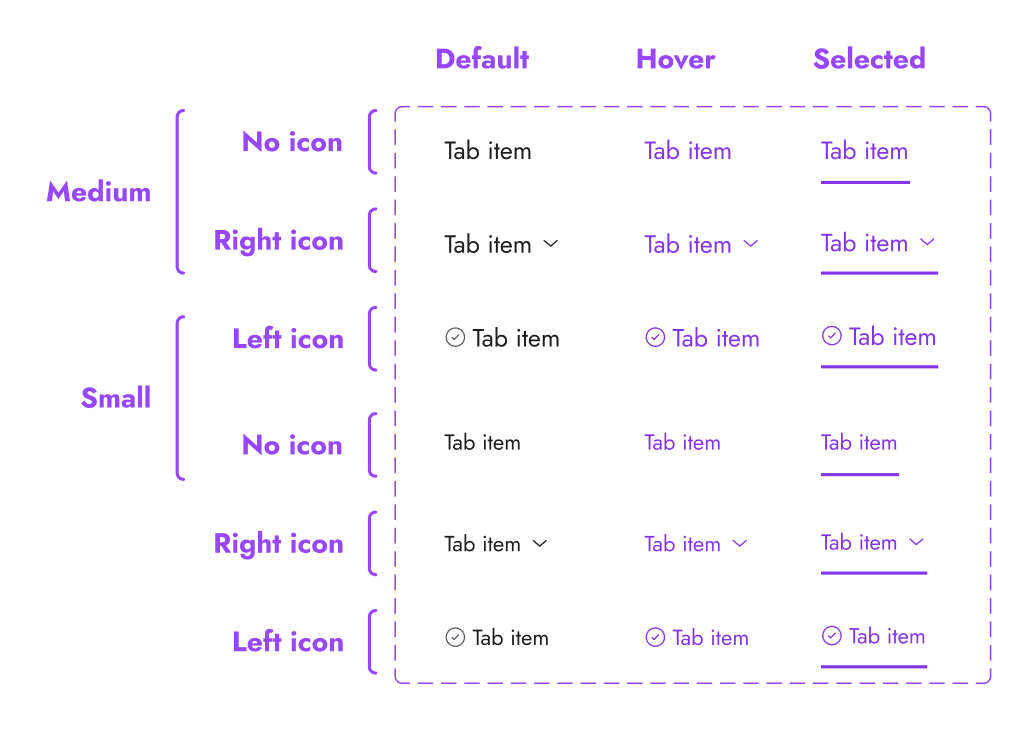
Tabs

18 variants

Tabs

18 variants